Network Outages
Network Outage window allows the administrator to easily see the issues across the networks regarding particular hosts or services.
Enter “Monitor” -> “Network Outages”
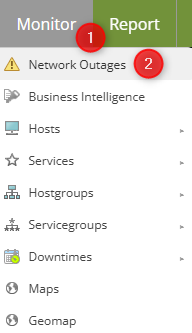

The mechanism works as follows:
a host, it usually is a device like a router, but it doesn’t have to be, has a parent/child relation with other hosts. Let’s use the router example, no backup routes, just a simple topology of 1 router connecting 5 hosts and serving as a gateway. Now if something were to happen to that router, under “Network Outages” the administrator would see that the issue is with the router and 5 other devices.

Both, the parent and each subsequent child would send a notification that their state has changed. This can be mitigated by setting “notifications_enabled” to “No”, under the host’s configuration. After all, if a router goes down, everything behind it also is down, in this example, “down” takes the form of the lack of internet access.