View Active Config
Enter “Manage” -> “View Active Config”
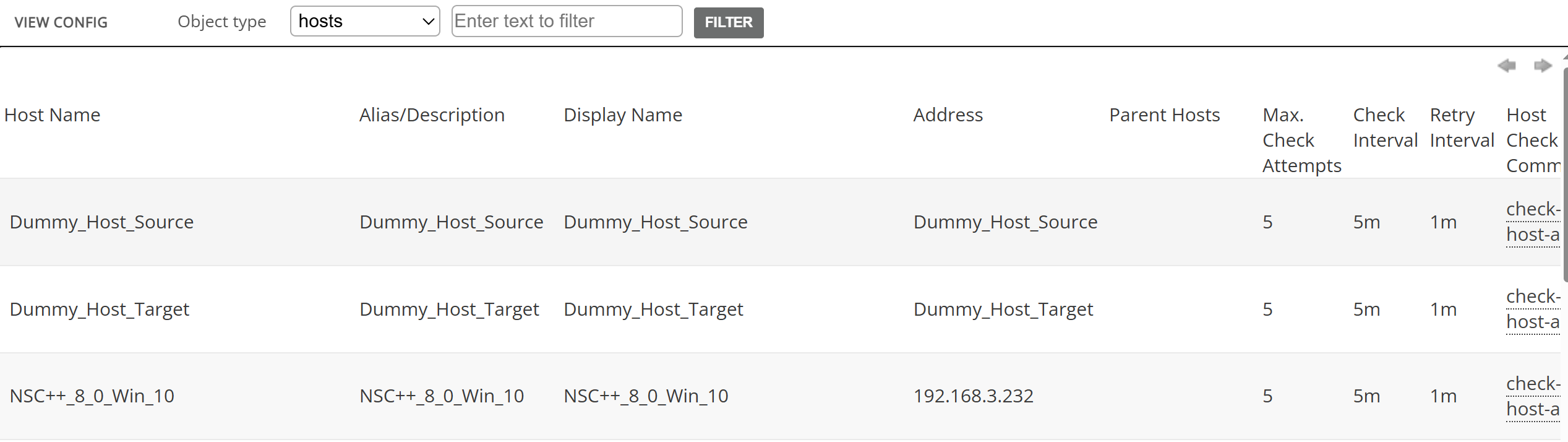
Energy Monitor’s “View Active Config” is a straightforward menu allowing the administrator to easily see their host list and following parameters:
Host Name
Alias/Description
Display Name
Address
Parent Hosts
Max. Check Attempts
Check Interval
Retry Interval
Host Check Command
Check Period
Obsess Over
Enable Active Checks
Enable Passive Checks
Check Freshness
Default Contact Groups
Notification Interval
First Notification Delay
Notification Period
Event Handler
Enable Event Handler
Enable Flap Detection
Low Flap Threshold
High Flap Threshold
Process Performance Data
Notes
Notes URL
Action URL
Icon image
Icon image alt
For instance, if the company has a basic configuration for a switch, an administrator might want to set up a template to include that base config in every switch that will be added into the system, removing a lot of repetetive work.