Buckets
Buckets are a functionality in Energy Monitor that allows the administrator to set up predefined metrics/services in a “Bucket” object, which can be chosen during “Network Autoscan” Functionality.
Configuring buckets
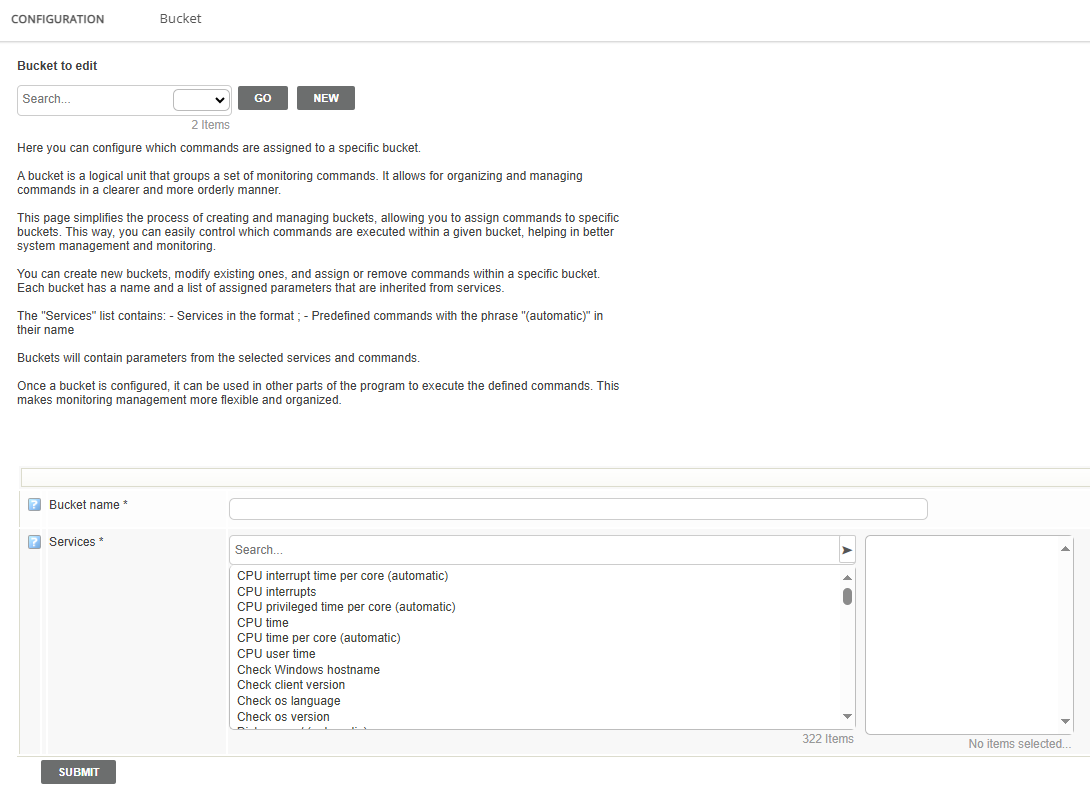
Enter “Manage” -> “Configure” -> “Bucket Templates”
Assign name of your bucket
Assign services/metrics you wish your bucket to contain.
Save the changes into the database.
Note: Metrics can be assigned from various hosts.It is recommended to create a “dummy host” which will house all such metrics, for ease and convenience of future modifications of the bucket.
Automatic buckets
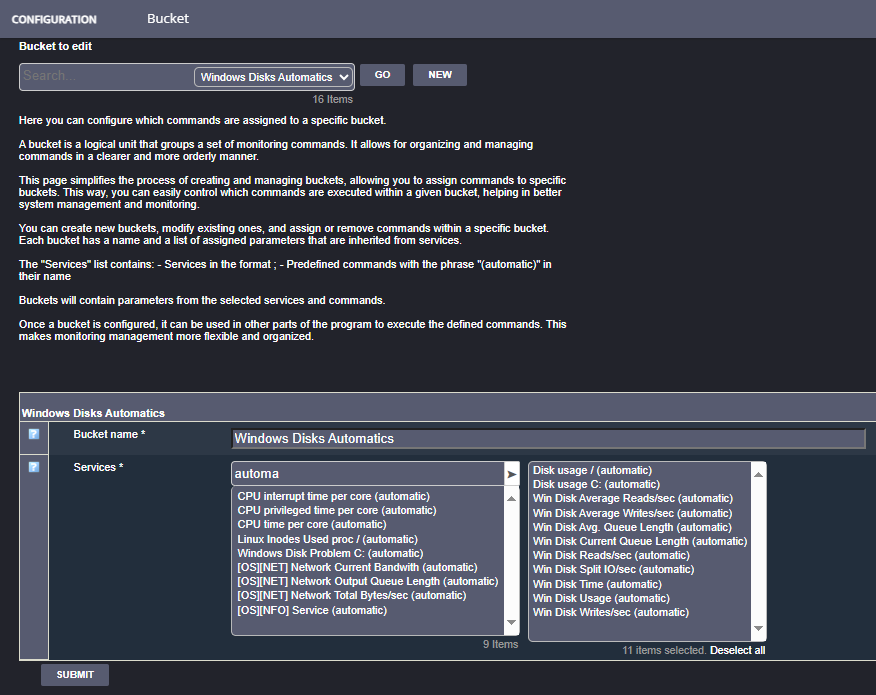
Energy Monitor also has buckets which contain services with a suffix of “(automatic)”.
The “Automatic” nature of these buckets comes do to the fact that they are pre-defined services that unlike a regular service, which points to 1 object, ie. a C drive on Windows and reads some sort of data on it, an automatic service points to all drives in that Windows system.
Note: These automatic metrics if modified, will stop working.

This is how such a bucket output looks like in the main host menu.
Under “Bucket Templates” You can look for these services in a particular bucket.
Note: Buckets are added during the creation of host in Energy Monitor, therefore the initial scan wil pick up all the information at the time.
If for instance, a disk is added to the host later, a scan in scheduler needs to be planned and executed.
More details on how to set up the scans can be found in a section dedicated to the