Configuring multiple hosts at the same time
Energy Monitor has few inbuilt ways to allow the administrator to set up several hosts at the same time.
Possible targets of the following operations are:
Cloning:
Hosts
Hosts in the following hostgroups
Hostgroups
Propagate:
Hosts
Hosts in the following hostgroups
Services assigned to hosts in the following hostgroups
Services assigned to the following Hosts
Services in the following servicegroups
Services
A note worthy mention is the Copy option, which creates a new host that is identical to the one being copied, same groups, same notification settings etc. just with removed hostname.
Useful if you set up 1 host as a base and simply want to create X more with only few settings changing between them.
Method 1: Propagate
This method involves essentially copying/pasting an existing metric on a host and placing it on the hosts of choice.
Propagate overwrites existing field values on the target host, for instance:
- Propagating to services on a host, will result in every service's fild being replaced with the one from the source host.
- It is possible and advised to pick a particular service to overwrite.
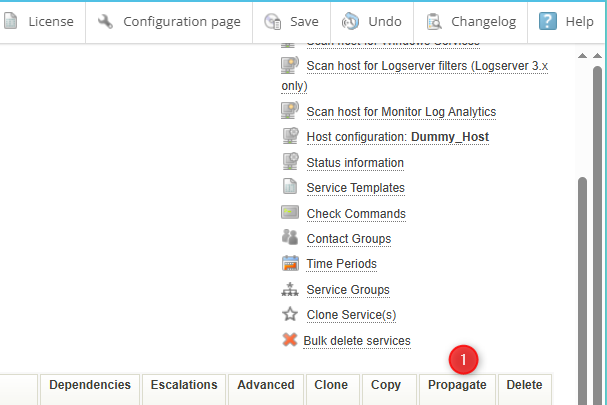
1. From the host configuration menu choose "Propagate"button:
Tick the the checkbox next to the field/fields you want to propagate:

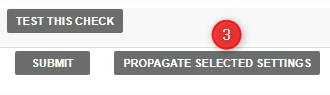
Confirm with “Propagate Selected Settings”
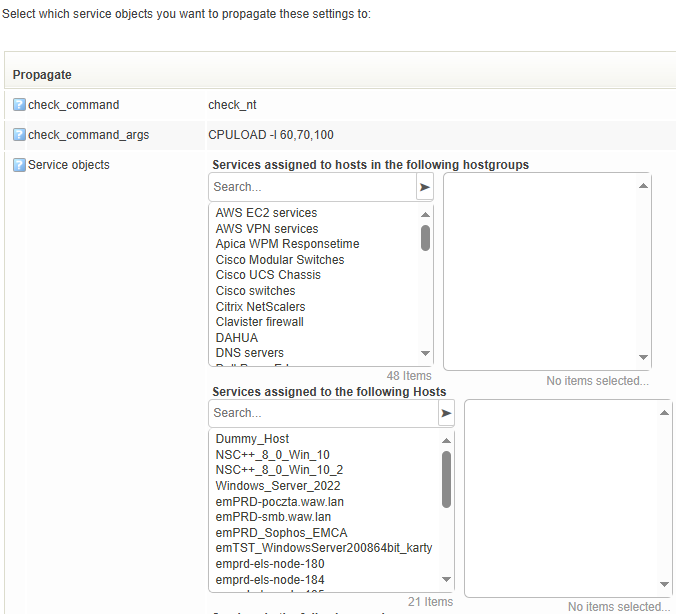
Pick which entries you wish to modify:
Confirm with “Submit” button and then save the changes into the database.
Method 2: Clone
Cloning creates an 1:1 copy of a chosen service/services onto a target host.
- If on the target host, exists a service with the same name, cloning will not occur.
- Therefore in case of changes, the administartor must first delete the services in the target hosts, which are meant ot be overwritten by services from the source host.
From the host configuration menu choose “Clone” button:
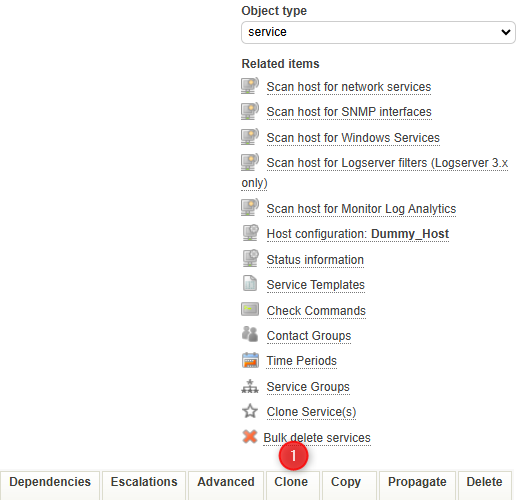
Pick the entries you wish to modify:
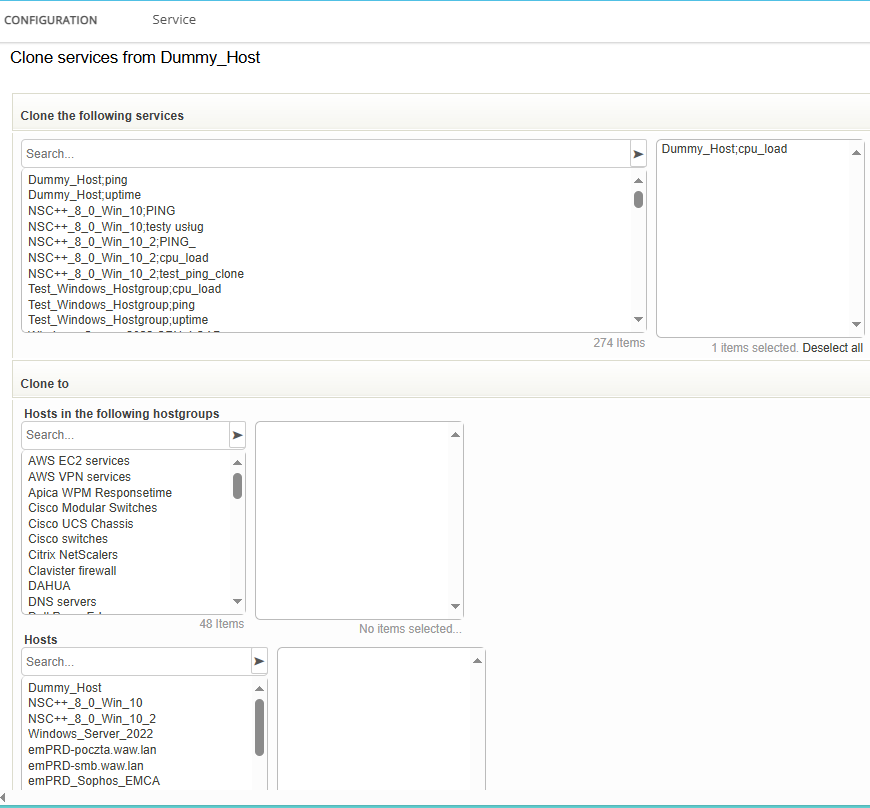
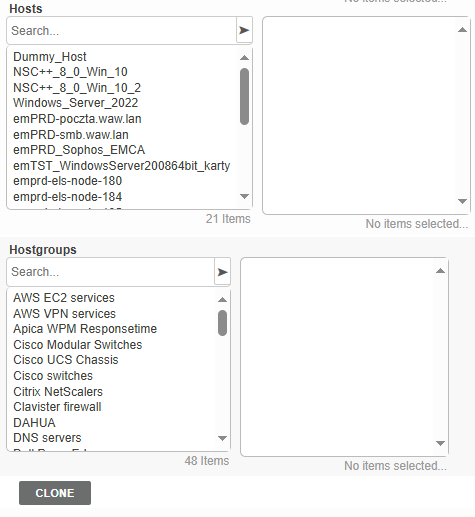
Confirm with the “Clone” button and save changes to the database.
Keep in mind that a hostgroup can be a target as well, so you can easily copy multiple metrics/services onto multiple hosts, as explained in Method 3.
Method 3: Combination of Cloning and Hostgroups
This method involves creating a hostgroup, adding hosts to it then cloning services onto the hostgroup itself. The hosts will inherit the services from the hostgroup.
The pros is that it requires setting up once, then as new hosts appear, they can be added simply to the hostgroup, no need to configure on the level of the host itself.
The caveat, however is that this works brlliantly for metrics/services that never change. Any change to the metric assigned to the hostgroup, affects all hosts within it.
For instance: You monitor CPU_LOAD with a warning threshold of 50%. But you have 1 host where you would like to have it at 30%. You would need to add a separate entry for this metric, on the host itself, essentially leaving you with 2 metrics measuring the same thing but with different notification parameters.