Editing commands
The recommended way to edit a command is via the dedicated windows inside Energy Monitor.
Enter “Manage” -> “Configure” -> “Commands”
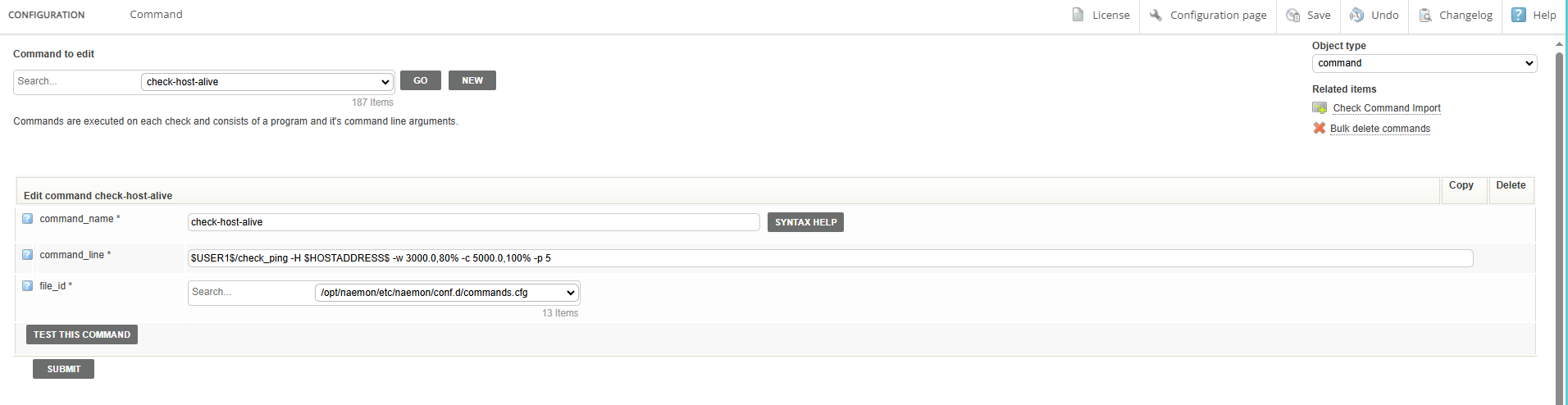
The administrator can easily change every command that he desires, tuning it to the company’s particular needs.
What is being changed is the default version of the command. So if added on a host, it will execute with precisely these parameters as specified in this window.
You can still customize the optional arguments for the command “per host” however, the core of the command will remain the same regardless. An admininistrator should keep this fact in mind. If you need help, please refer to instructions under “Syntax Help” button.
After finishing, save the changes into the database.