Adding hosts to the database
Energy Monitor supports 2 methods of adding hosts to it’s database:
Autoscan of the network
Manual addition of hosts
Autoscan of the network
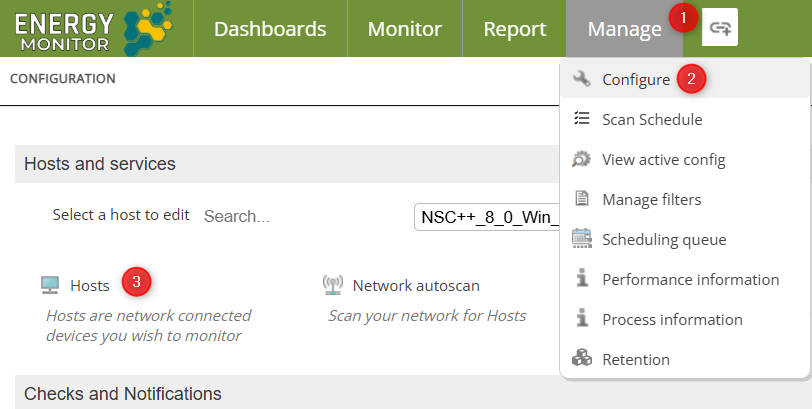
Enter “Manage” -> Configure -> Hosts
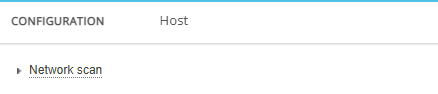
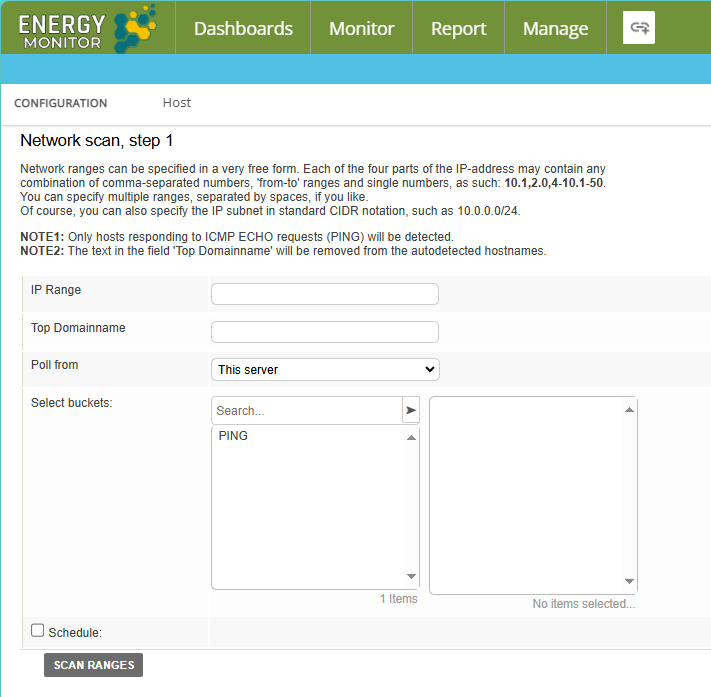
The administrator can specify the IP range to search from, domain and buckets to be applied to any host found.
Manual addition
1. Enter “Manage” -> Configure -> Hosts
2. Fill mandatory fields:
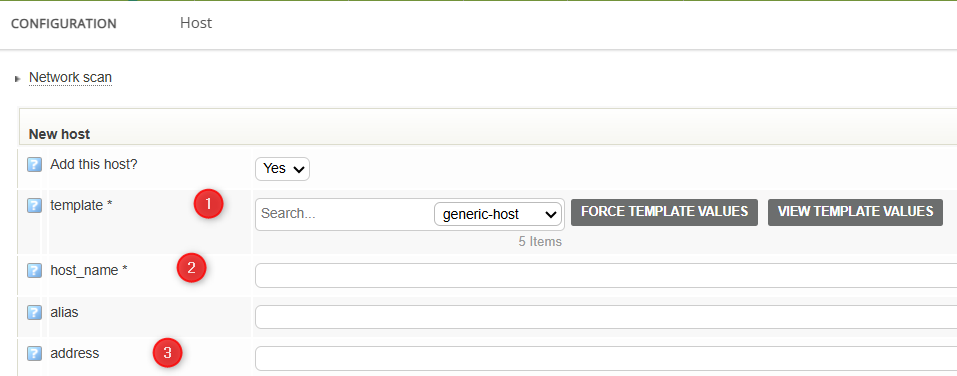

- Default Template (For regular, non-server endpoints generic-host will suffice)

- Ip Address

- Hostname

- File where this entry is meant to be saved
3. Confirm with “Add Services”
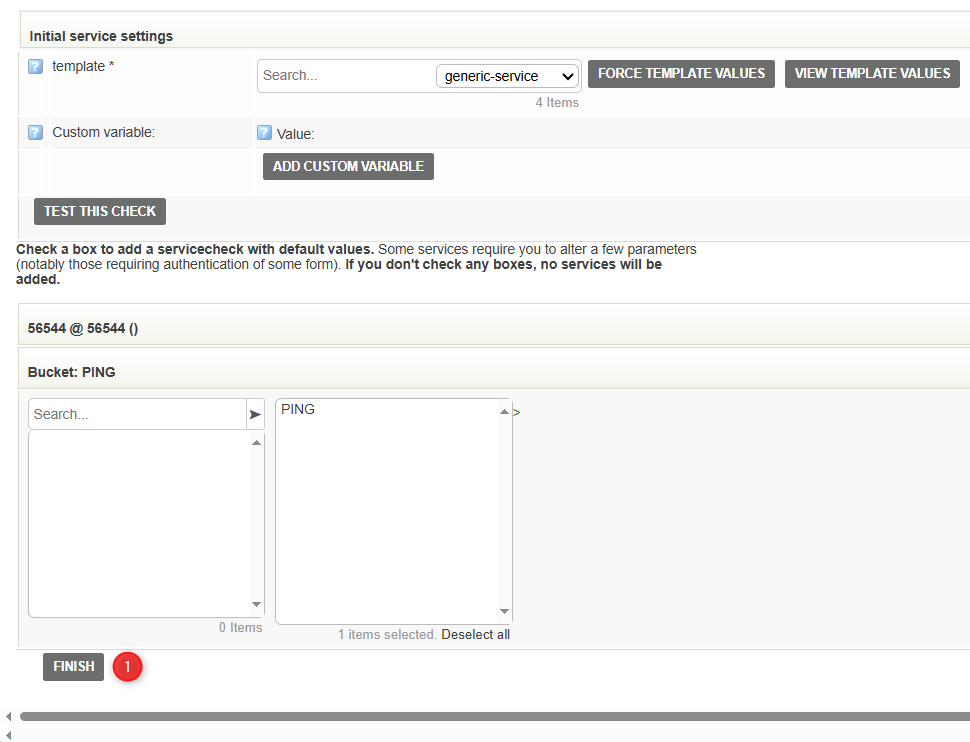
4. Confirm adding host with “Finish”
Note: Buckets give the user a capacity of adding multiple services at once, during the creation of a host. So if many identical services are used on multiple hosts, setting a bucket up can make setting up a host much easier. One should of it as several metrics/services bundled together.